How to post a journal from the report you are reading
Last updated 4 November 2026
See a problem on a report, fix it there. How to post a journal to QuickBooks or MYOB from a Report Craft report, watch the figures move, and take it back with Undo Journal.
You are reading a balance sheet and an amount is in the wrong account. Normally you would stop, sign in to the accounting package, find the client, enter a journal, go back and refresh to see if it did what you meant. Create Journal does that from the report you are already on, and you see the result straight away.
Who can use it
Posting to a client's ledger is a serious thing, so it is off until you say otherwise. An administrator at your firm ticks each person in the Create Journal card in Firm Settings. It works on QuickBooks and MYOB ledgers. It isn't available yet for posting to Xero, and a consolidation has no ledger to post to.
Posting a journal
- On any report, open Quick actions and choose Create Journal, or press Alt+J.
- Fill in the journal: Date, an optional Reference, Debit Account, Credit Account, Description and Amount.
- Click Save Journal, or press F11.
- Watch the report. The figures move in place at once, and the journal is posted to the accounting package in the background.
Changed your mind?
Undo Journal (Ctrl+Z) steps back through the journals you entered this session, up to 50, asking first each time. It removes the journal from Report Craft and from the ledger, and only ever touches your own. You can also edit or delete a journal you entered from the Journal report, using the icons on its row.
If the package says no
Accounting packages have rules of their own: QuickBooks won't take a journal against an accounts receivable or payable account, for example. If a journal is refused, Report Craft marks it with a red dot on the Journal report so you can see it and deal with it, rather than leaving you to discover it later.
Finding journals later
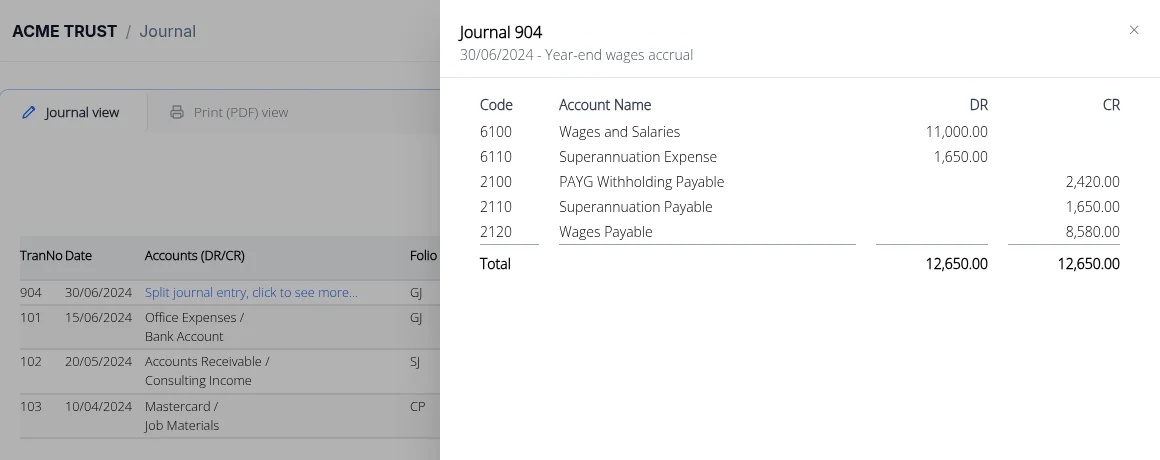
The Journal report follows the period you have chosen. Its search opens on those dates, with sliders for TranNo and Amount, and on QuickBooks a split journal opens line by line in a sortable panel, flagged if it doesn't balance.
Watch Create Journal in the how-to video, or see the difference between a journal and an elimination entry: eliminations stay in Report Craft and never reach the ledger.
Try it on your own clients
Connect a QuickBooks, Xero or MYOB ledger, or import a spreadsheet, and have a full report pack in minutes. Free for 14 days.
Related guides
How to standardise client charts of accounts with a template
Keep your firm's model chart of accounts and see exactly what to rename, recode, move or add in any client's ledger.
How to check loans between associated entities agree
Check a loans account against the other entity's ledger and see what's out and by how much, before it reaches the accounts.
How to consolidate financial statements across QuickBooks and Xero
Combine client ledgers from both accounting packages into one group and produce a single set of consolidated financial statements.
Intercompany eliminations in consolidated accounts, explained
Why intercompany balances have to be removed on consolidation - and how to post the elimination journals that do it.
Consolidating a trust group: a practical guide for accountants
Trust groups add distributions and appropriations to the mix - here's how to consolidate them cleanly.