How to add your own pages to a client report pack
Last updated 4 November 2026
Put charts, commentary and pictures of your own into a report pack, on A4 pages that print with the statements. A guide to custom pages and watermarks in Report Craft.
Statements tell a client what happened. The page you would really like to add is the one that explains it: a chart of where the money went, your commentary beside it, the client's own logo or a photo of the site. In Report Craft that page is part of the pack, and it prints in the same PDF as the statements.
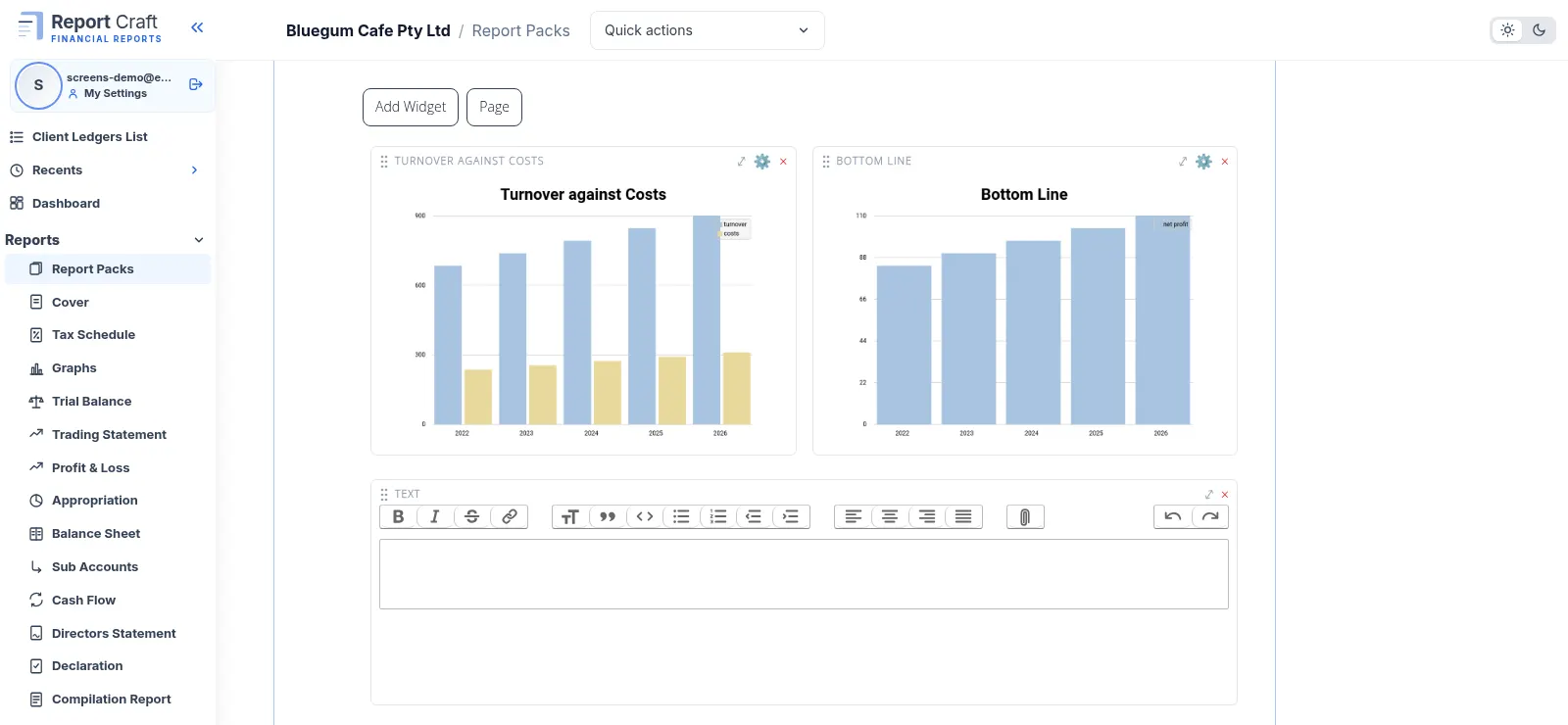
Adding a page
- Open a pack from the Report Packs screen. Any of the six built-in packs works (Tax 1 to Tax 4, Bank and Public Reports), or one of your own. Your firm gets its own copy of a built-in pack the moment you change it, and Reset to standard undoes it.
- Choose Add a page here at the point in the pack you want it, type a heading, and choose Add page.
- Click Add Widget and pick a Chart, a Text box, a Picture or a Custom Ratio.
- Drag the boxes where you want them. Each page is one A4 sheet, and boxes cannot overlap, so what you see is what prints.
- Drag lines on the contents page to put the whole pack in the order you want.
What goes in the boxes
- Charts come from a list and draw on the ledger's last five years, including Turnover by Year, Where the Money Goes, Working Capital and Margins. Change one later from the cog on its box.
- Text boxes save as you type, and are kept per ledger and per year, so this year's commentary doesn't overwrite last year's.
- Pictures fit the box you give them.
- Custom Ratios draw as a pie chart from a ratio you have built for that ledger.
One page, every client
A custom page belongs to the pack, so it prints for every ledger that uses that pack. That is what makes it worth building once: the layout is your firm's house style, and each client's page fills with their own charts and your commentary for them. Pictures are the exception to watch: a picture shows on every ledger using the pack, so use one that suits them all.
Stamp it before it goes out
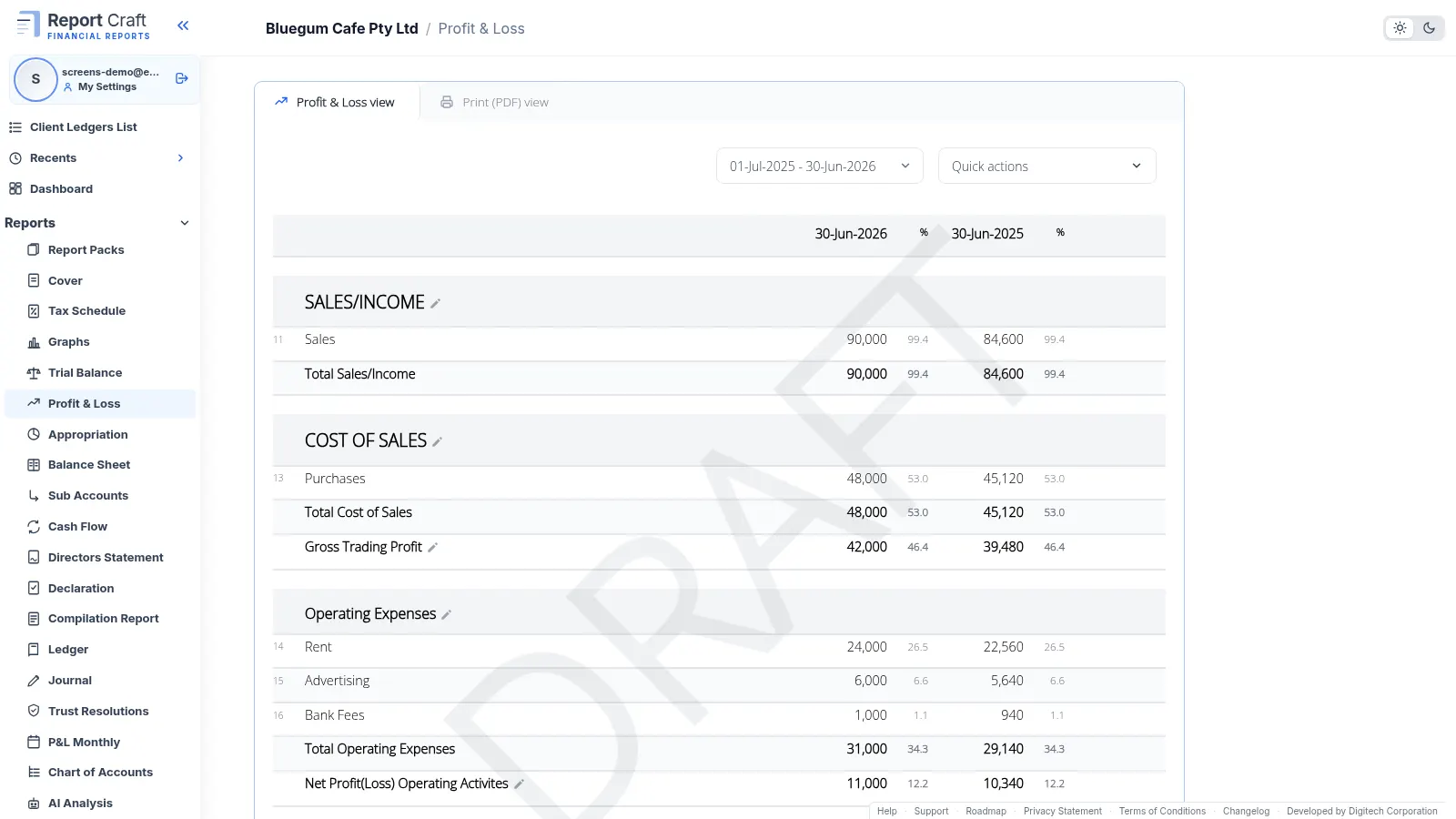
While a pack is under review, mark it. Quick actions has a Watermarks choice of None, Draft, Confidential or a word of your own of up to 20 letters, printed in capitals across the report on screen and in the PDF. Saved packs remember Draft or Confidential, so a pack that should always be Confidential always is.
Send it on a schedule
Custom pages print in the PDF and go out with scheduled packs, so a client can receive the whole thing monthly, quarterly, every six months or yearly without you opening Report Craft.
See it in the custom pages how-to video, or read about Custom Ratios to put on the page.
Try it on your own clients
Connect a QuickBooks, Xero or MYOB ledger, or import a spreadsheet, and have a full report pack in minutes. Free for 14 days.
Related guides
How to create financial statements from a spreadsheet of balances
No accounting package? Create a ledger from up to five years of balances, using our downloadable template, and every report is ready.
How to track custom financial ratios for a client
Measure wages against sales, or anything against anything, and draw it as a pie chart on the Dashboard or in a report pack.
A financial dashboard for every client ledger
Every ledger opens on its headline figures against last year, with charts you add, change and drag into place.
How to run financial reports for a month, quarter or any period
Run reports for a month, a quarter, a half year or any range, compared with the period before and saved for next time.
Professional financial reports from MYOB, for accounting firms
Connect MYOB company files alongside QuickBooks and Xero, with figures that match MYOB to the cent and refresh overnight.